Controls
-
To start the Marble 3D Run game, use the left or right arrow keys.
-
To move in the left and right directions, you can use either the A and D buttons or the left and right arrow keys.
-
By clicking the W or up arrow key, it speeds up the speed of the ball.
-
To use the helping thing like the big ball or the rocket, click on the space button.
-
For the touch control, you just have to move your finger in the direction where you want to move the ball.
GamePlay
-
In Marble 3D Run, every player's turn matters a lot.
-
While playing, focus on the speed of the ball, like when to slow the speed or when to speed it up. If you see that the track is now straight and has no more turns, then speed it up, and if you face a turning and a risky track, then slow it down. You can slow it further down by attacking the other ball.
-
In Marble 3D Run, if you kick out the other competitor's ball, then you will be rewarded with 10 coins.
-
Try to always follow the path in which you can pick up the maximum coins.
-
Never get tense, and handle the ball with full focus and relaxation.
-
Do not make a left or right turn in waste. Only take the turn when you need to, and try to practice to have good control of the buttons. So, you could even control them without seeing them.
-
If you join the race, then the position of your balls is important. The player will have to pass through the difficult track and also keep up at high speed so that they might get the first position.
-
In the challenge, you just focus on the game track, and the only main goal is to reach the destination without falling off.
-
After you earn the handsome amount, go to the upgrade section and click on the upgrade button. It shows you the four cards with questions marked, and the game automatically decides which card to open. As you open the card, the amount to spend for the next upgrade increases. But it is very helpful, as it gives you the giant ball, a rocket with more ability to go, and air strikes to destroy all the balls near you.
-
Your progress in 3D Marble Run will be saved in the web browser's history so that you can get access to this game and never lose your progress through the levels.
-
If you have the option to control your game by button or by touch, then it is best to choose to handle the game with the keys. Because moving the fingers in the directions quickly, leading to the balance being corrected, became difficult. In contrast to touch control, the clicking control could be handled easily even without seeing it; just place your two fingers on both arrow keys and start to play it. With this, you can have the focus on your screen, the ball's direction, handle it with fingers, and think about the next move in mind.
-
As your ball is in the sky, the air pushes it, and you face the problem of handling it. So while you are taking the turn, always remember to move in the direction and click the button more than once, and keep pressing it until you are on the straightforward track.
Conclusion
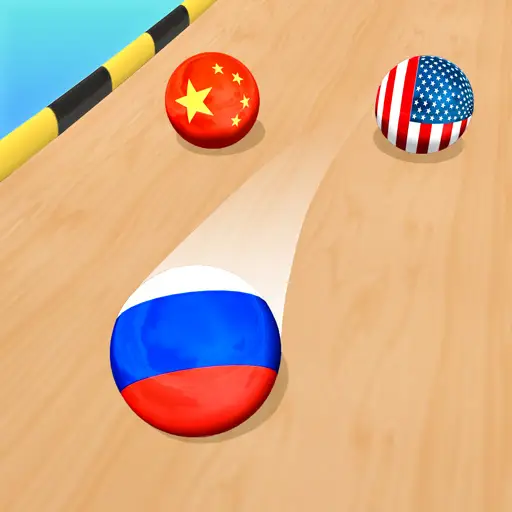
This is a run marble 3D game with racing and challenging game modes. Both of the gaming modes are easy to play but hard to complete. Early levels might be easy, but as you make the next level, these are tougher, and you need many tries to pass the same level. This game is best to play for the children because it does not have any negative impact on the brain; it is good for mind growth because your brain activates and runs in a better way if you try to move many body parts at once. This increases the ability to think and freshens up your mind. So, let's start to play it and have fun on the challenging paths.












































































Comment
Add Your Review